i flashed all the preloader i have for new and old of this device and the screen still wont even flicker
i have never seen the remote app on the older version
i flashed all the preloader i have for new and old of this device and the screen still wont even flicker
i have never seen the remote app on the older version
im pretty sure this is some form of the new version since the preloader button is the owl button not the back button aslo the orange strip. i dont have the serail number since it was changed before i got the device
4gb super though
What happens if you format/download v3
i can try flashing v3 with mtkclient but ill have to changet he gpt
I’m telling you it’s the preloader. All symptoms point to the preloader
Especially with you flashing 6.1.3 on new qin
i flashed the new preloader and it is still not working.
Did you try spflash after flashing new
yup and i also tries flashing the boot2 (2nd preloader) to boot1
Why
to use the original preloader i think boot1 and boot2 is mtkclient name for preloader
@Nooch
Red port, bought in Israel November 2024, build 2.0.8., could be old one?
Yes
Just take a backup before you flash to be safe
I had one old one red port that was different completely and i bricked it with no backup (its not any of the current known versions)
whats the color on the charging port
also i nmy expereince flashin bands is safe and wont brick it just back up the oringials
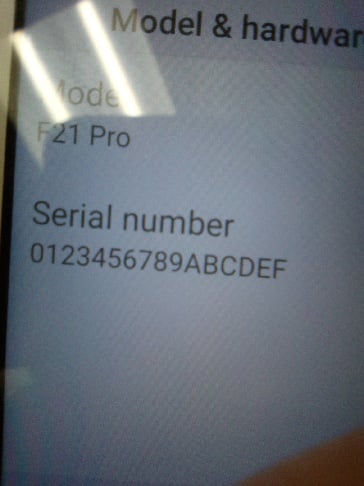
My device shows the serial numbers like that now but not sure if I got it like that. I flashed us bands on it.
It’s blue
On this kinda serial number?
That serial number just means it was flashed with stock
Should be compatible with US bands Just have a backup in case
Think you’re mixed up a little.
SN# = you only find on the box or the sticker in back of the phone, not possible to change.
Serial# a unique number to each device from factory, subject to change through flashing.