Google Gallery Icon Appearing Twice on Home Screen After ROM Edits

I’m having an issue after some edits were made to a custom ROM. The Google Gallery app icon is appearing twice on my home screen.

- I checked the package manager list through “adb shell”, and it shows only one package name for the Gallery app.

- I also checked Settings → Apps, and it shows only one Gallery app installed.

- However, on the home screen (desktop), the Gallery icon appears twice.

So it looks like there is only one actual Gallery package installed, but the launcher/home screen is somehow creating or displaying two icons for the same app.

Has anyone seen this issue before or know what could cause the launcher to display the same app twice?

Did you factory reset? Even if you did, check if gallery has a preset place in your launcher apk.

Yes even after factory reset

What do you mean to check if it has a preset place in the launcher?

Decompile the apk in mt manager (or use apktool, I just figure this will be easier for you), open dex editor with all classes.dex and do a search for the gallery package name.
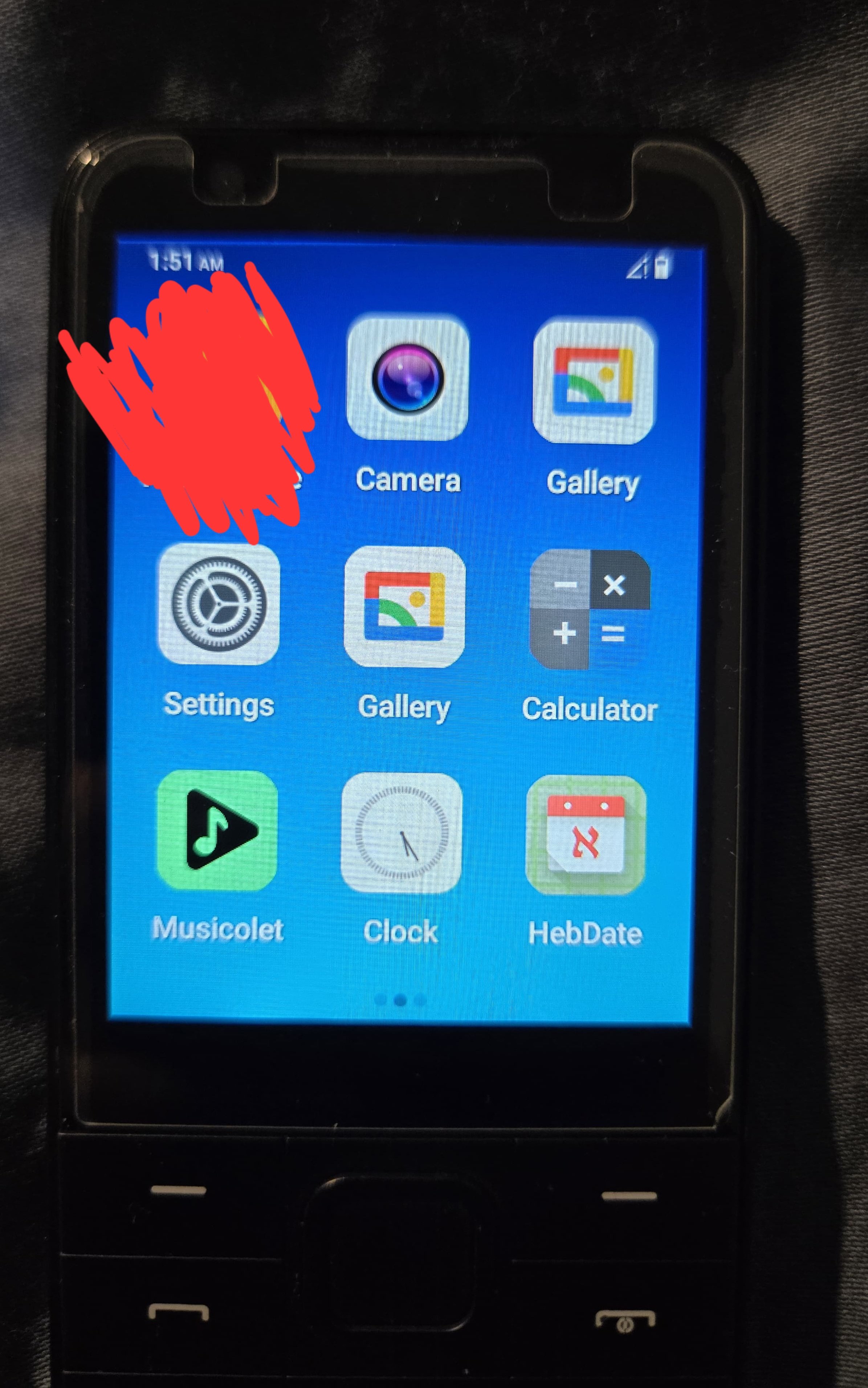

This is interesting. What happens when you remove one of them from the home screen?

The other stays and is 100% usable

I’m assuming this isn’t a solution because you need the device to come with only one as opposed to having to uninstall it on every device.

What did you change recently before this started (I know I sound like IT support but just humor me)

Many things not sure how to troubleshoot this to detect what’s triggering it…

send me the launcher apk

Is there an easy way to pull the launcher APK from the ROM?

…Without Android kitchen this wasn’t actually me that did some edits to the rom it was someone I hired

One second - LIGHT MODE?! ARS18 USING LIGHT MODE?!

It’s a mistake I promise don’t sue me

One of my browsers I never changed