I’ll be focusing on software for Debian, because that’s where I (and probably most Linux users here) am — but feel free to post about apps for Arch (@flipphoneguy), Fedora, or whatever you’re using.
There’s less software for Linux, so finding GUI power tools for it is harder — but there’s still plenty out there.
I’m focusing mostly on GUI apps, so please don’t clutter this thread with CLI or dev tools.
AppImage is a format for Linux apps that packages them into a single, portable file.
It’s portable, so you can run it without installation, but since it doesn’t install, you need to keep track of the file yourself and it won’t appear in the apps menu.
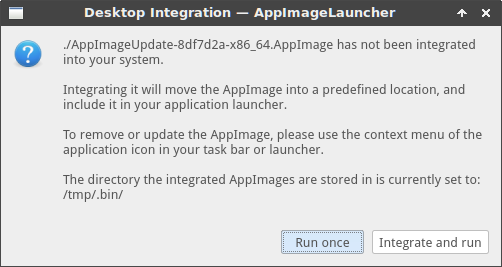
AppImage Launcher solves this by integrating AppImages to your application launcher with one click, and allowing you to manage, update and remove them from there.
AppImage Launcher is available for most major distros, including Debian and Arch.
Managing apps on Linux can be confusing for beginners because most package managers show every installed package, making it hard to know which ones belong to the app you actually want to manage.
Bauh simplifies this process:
Install and uninstall apps – easily manage your software.
Update apps – keep everything up to date without using the command line.
Handle multiple sources – supports Flatpak, Snap, .deb, and more.
It’s especially helpful if you’re new to Linux and prefer a GUI for easily managing all your applications.
Bauh also allows you to install websites as apps.
For Bauh to manage .deb packages, you’ll first need to install aptitude by running sudo apt install aptitude
Bauh is available for most major distros, including Debian and Arch.
Definitely not the best of Awesome Lists out there, but I guess my expectations shouldn’t be too high when I hear ‘Linux’ and ‘software’ in the same sentence.
Pinta is a free, open-source image editor with a clean, modern UI.
It’s designed to be simple to use, while still giving you all the essential tools for photo editing.
Waydroid lets you run a full Android system on Linux, inside a container.
It’s fast, simple, and makes Android apps feel almost native on your desktop.
Unlike traditional emulators, Waydroid uses your system’s own kernel and resources, giving near-native performance and smooth graphics.
Features:
Run Android apps side by side with your Linux apps
Multi-window mode or full Android UI
App integration: Android apps appear in your app launcher
Hardware acceleration for graphics and performance
Simple setup: install, initialize once, and you’re ready