No, this was fixed in the update last week.
I tested it on my wife’s phone and was not able to access Google, only on mine. I guess because I am already logged in.
Note:cI can not access search I can just see my google settings.
I was wondering if anyone knows if the Keyphone’s touch screen can be turned off or disabled? And also what about the music app and camera. From what I see the camera can be turned off from the factory?
You can disable those apps in settings. If you want something more permanent, I think customer support can totally delete some of the apps remotely including touch screen.
Last I checked the phone wasn’t ready for dpad only navigation, but it’s been a while since I tested, I’ll be getting it back in a week so I’ll be able to check if that’s been updated.
I could but won’t…
2 Likes
FROM THE CEO OF KEYPHONE:
Hi Daniel,
Our vision
Keyphone is the advanced minimalist phone — everything a modern phone is capable of, kept deliberately simple. It runs on AOSP 15, but it isn’t a stock Android phone with a keyboard bolted on. It’s designed and engineered from the ground up around a single goal: giving you an exceptional, focused user experience. Every app and every feature is built to work with Keyphone specifically — not borrowed or adapted from elsewhere. That’s something you feel the moment you start using it, and it’s something we’d invite any user to test for themselves.
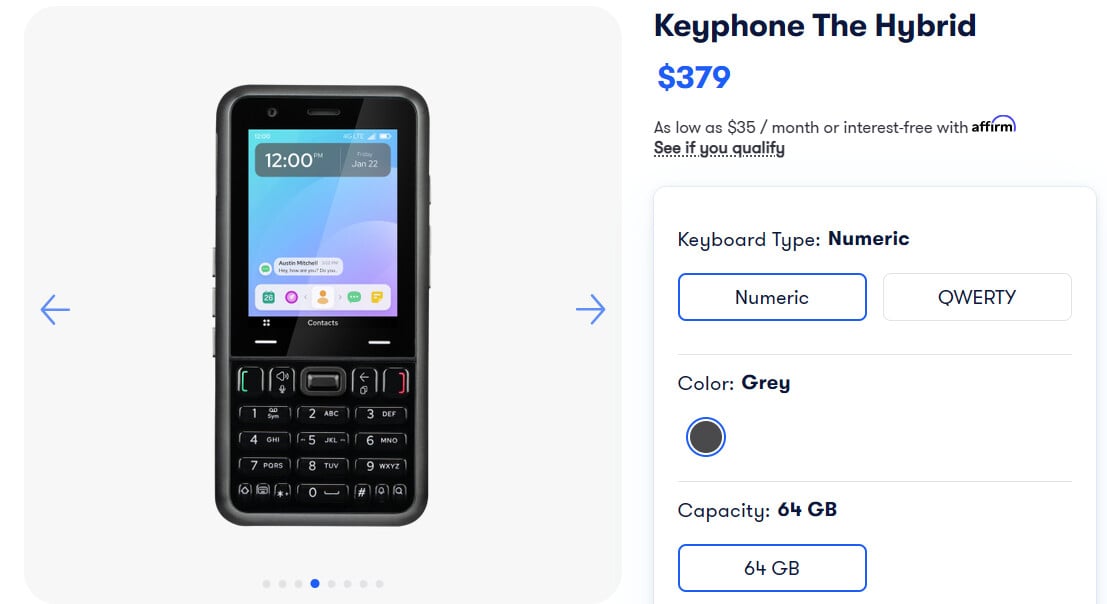
At the center of that experience is your control over the device, not the other way around. If you prefer to skip the touchscreen entirely, you can disable it completely and run everything from the physical keyboard — including a full-keyboard layout and full keyboard-driven navigation. Nothing on the phone requires you to reach for the glass unless you want to. The hardware is built to be genuinely strong and durable, and the software underneath it is engineered to be as efficient as possible: it does exactly what you ask, quickly, and then gets out of your way. Just as importantly, it’s built not to constantly pull for your attention; nothing engineered to keep you hooked. A phone that respects your time instead of competing for it.
Where we’re headed
The Keyphone roadmap is designed to prove that “minimalist” and “capable” aren’t opposites. Existing/ Planned features include email, eSIM support, Android Auto, optional Google services such as sync and backup, Tap-to-Pay, and advanced messaging — the tools people actually rely on day to day, delivered without the clutter that usually comes with them. We’ll keep adding genuinely useful features and tools over time, but every addition is measured against the same standard: does it serve the user, and does it stay true to our mission of tech-life balance? For that reason, Keyphone will never allow third-party apps. Everything on the device is there by design, built and vetted by us to work the way it should.
The hardware
Keyphone is built to last and built to perform. It features strong Gorilla Glass, a newly engineered keyboard now coming off the production line, a high-res 20MP camera, 64 GB + 128 GB of storage, and ample RAM to keep everything responsive. The result is a phone that simply works and doesn’t freeze.
And because Keyphone is modular, it’s far more than durable — it’s adaptable. The modular design means the device can be configured to different keyboard types and different camera types, so you’re not locked into a single hardware choice. That same flexibility makes Keyphone highly customizable: for the individual user, who can set the phone up to match how they actually work and live, and for different groups and communities, who can have the device configured to their specific standards and needs. One platform, tailored many ways — and because the parts are modular, it stays repairable and useful over the long run instead of being disposable.
3 Likes
Android Auto, optional Google services such as sync and backup
For that reason, Keyphone will never allow third-party apps

8 posts were split to a new topic: Who cares about minimalist phones custom UI?
Sync not. Backup is in Google Play services settings. How you gonna start the on-phone part of Android Auto or manage its settings without the frontend?
You cant access any on-phone part of Android Auto. I didnt even know there is one. All you need to do is accept the T&C’s.
How good is the t9 typing and the camera on the keyphone?
T9 not so good yet camera has a second delay so pictures of moving stuff (kids) are usually blurry.
Camera is good on still images.
Nu??